SAM模型
1. SAM模型管理
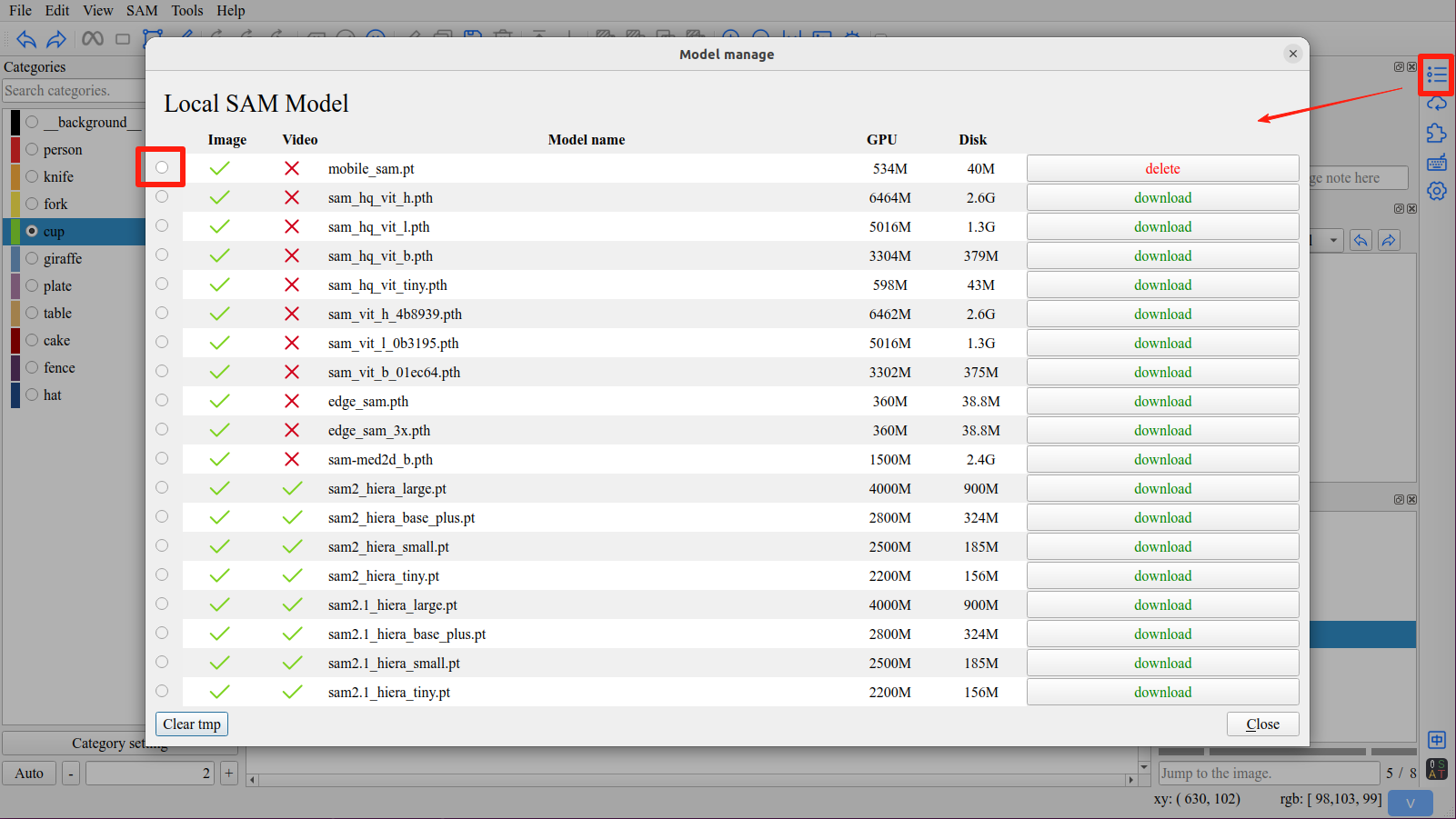
点击右侧工具栏中 模型管理 按钮,打开模型管理界面。
下载需要使用的模型,并点击最左侧按钮激活模型。
2. 远程SAM服务器
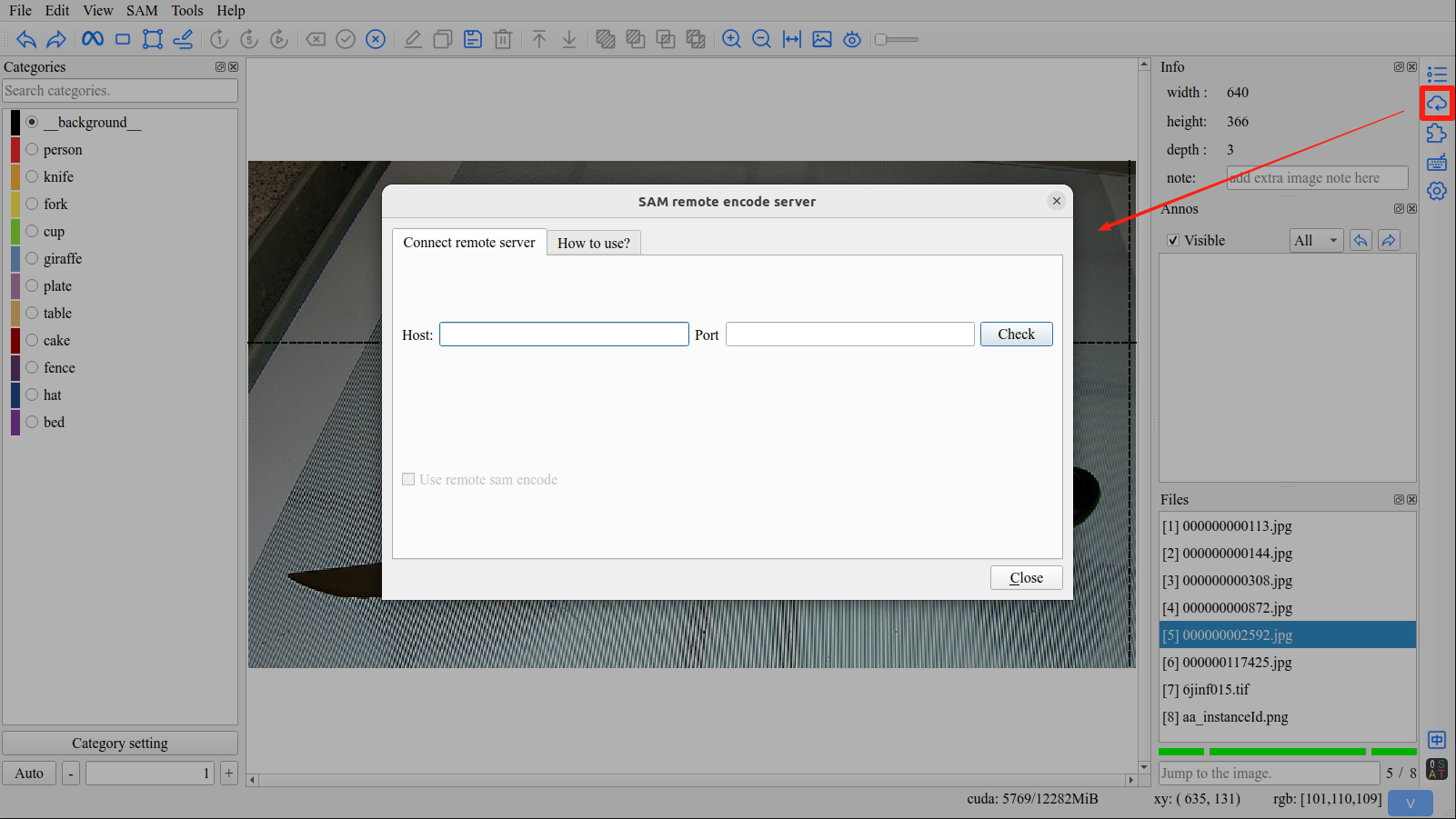
点击右侧工具栏中 远程SAM服务器 按钮,打开SAM远程编码服务器界面。
注意
当前,使用远程SAM时,本机需要加载整个SAM模型。在未来版本将对此进行优化,使本地只加载解码部分。但该工作尚未完成。
危险
Sam-hq 模型的特征图太大,在使用远程SAM时,不要使用Sam-hq模型。
3. 支持的SAM模型
模型 |
权重 |
内存 |
内存(bfloat16) |
硬盘 |
图像 |
视频 |
|---|---|---|---|---|---|---|
SAM-HQ |
sam_hq_vit_h.pth |
6464M |
3378M |
2.6G |
yes |
no |
sam_hq_vit_l.pth |
5016M |
2634M |
1.3G |
yes |
no |
|
sam_hq_vit_b.pth |
3304M |
1762M |
379M |
yes |
no |
|
sam_hq_vit_tiny.pth |
598M |
392M |
43M |
yes |
no |
|
Mobile-SAM |
mobile_sam.pt |
534M |
390M |
40M |
yes |
no |
Edge-SAM |
edge_sam.pth |
360M |
304M |
39M |
yes |
no |
edge_sam_3x.pth |
360M |
304M |
39M |
yes |
no |
|
MedSAM |
sam-med2d_b.pth |
1500M |
1050M |
2.4G |
yes |
no |
SAM |
sam_vit_h_4b8939.pth |
6462M |
3378M |
2.6G |
yes |
no |
sam_vit_l_0b3195.pth |
5016M |
2634M |
1.3G |
yes |
no |
|
sam_vit_b_01ec64.pth |
3302M |
1760M |
375M |
yes |
no |
|
SAM2 |
sam2_hiera_large.pt |
3252M |
2008M |
900M |
yes |
yes |
sam2_hiera_base_plus.pt |
1992M |
1666M |
324M |
yes |
yes |
|
sam2_hiera_small.pt |
1522M |
1226M |
185M |
yes |
yes |
|
sam2_hiera_tiny.pt |
1504M |
1196M |
156M |
yes |
yes |
|
SAM2.1 |
sam2.1_hiera_large.pt |
3328M |
2266M |
900M |
yes |
yes |
sam2.1_hiera_base_plus.pt |
2032M |
1682M |
324M |
yes |
yes |
|
sam2.1_hiera_small.pt |
1736M |
1268M |
185M |
yes |
yes |
|
sam2.1_hiera_tiny.pt |
1574M |
1194M |
156M |
yes |
yes |
|
SAM3 |
sam3.pt |
8600M |
8600M |
3.5G |
yes |
yes |
小技巧
如果你在CPU上运行ISAT,推荐使用 sam_hq_vit_tiny.pth 或 mobile_sam.pt 模型。
小技巧
从v1.5.1版本起,可以在设置界面中关闭 视频分割 功能,来降低对显存的需求。
关闭 视频分割 功能后,SAM3只需要6G显存即可运行。
4. 使用fine tuned模型
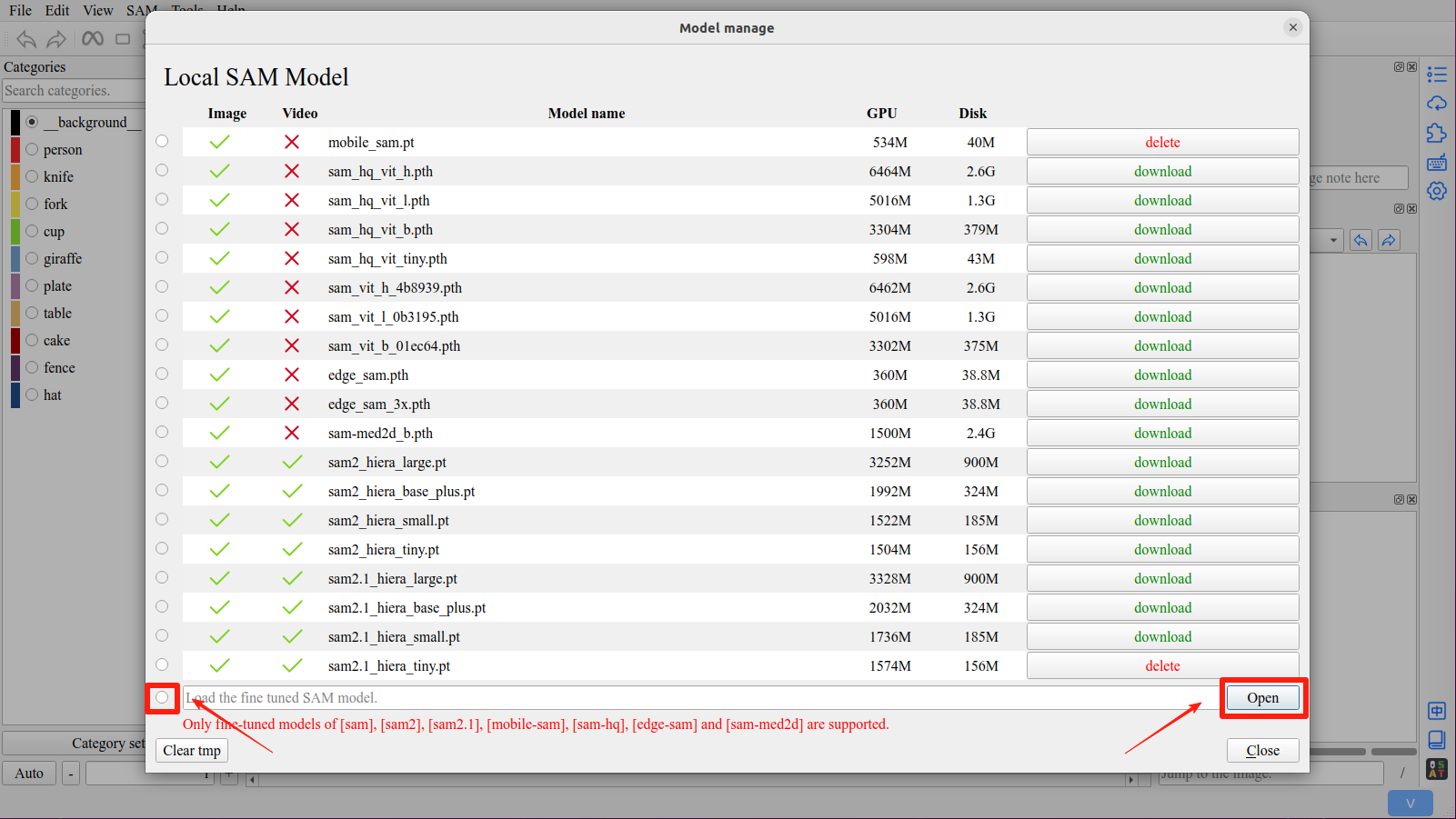
在模型管理界面,点击 打开 按钮选择要使用的fine-tuned模型。
重要
支持的fine tuned模型有:sam, sam2, sam2.1, sam3, mobile-sam, edge-sam, sam-hq and sam-med2d。